This animated emote maker turns a pet photo into a square AI reaction GIF using a fixed boxing action. Upload a photo you own, check the crop, and generate a new animation rather than adding a movement effect to a still image.
Each generation costs 2 credits. Sign in and purchase credits to generate. Confirmed failed jobs are refunded to your credit balance.
Pet boxing concept
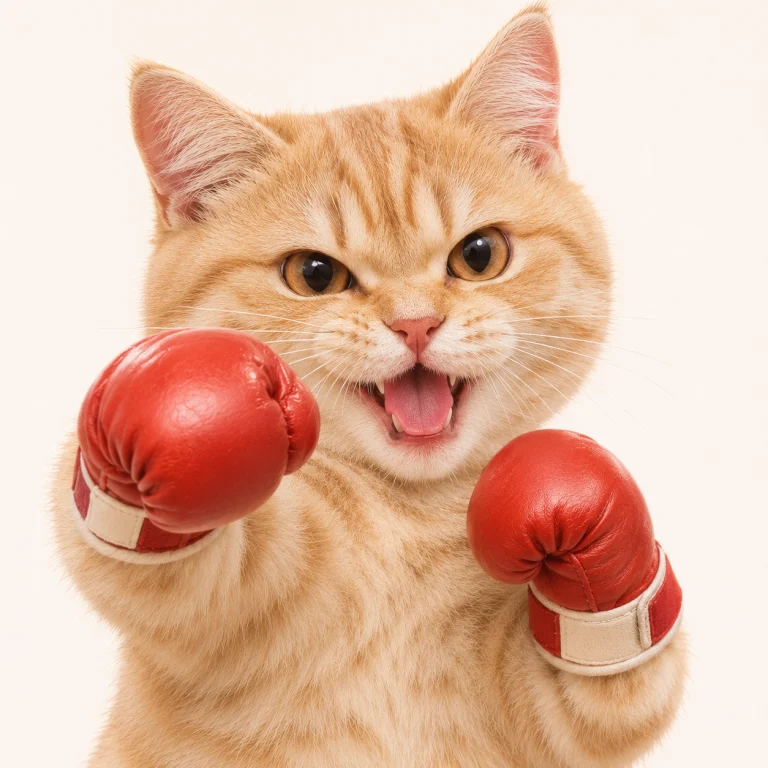
Static ChatGPT Web concept, not a GIF result from this tool. The current action is fixed pet boxing. Boxing gloves, a night scene and transparency are not guaranteed.
How do I make an animated emote from a photo?
Choose a clear JPG, PNG or WebP under 10 MB with one recognizable pet. The editor crops the actual source image to a square before upload, so keep the face and front paws near the center. Confirm that you have permission to use the photo, then sign in to generate. The fixed boxing template adds alternating paw punches and a gentle bounce. There is no free-text prompt field or custom action editor. Your finished GIF stays in My Creations, where you can return to download it without generating again.
What does this animated emote generator export?
| Square GIF; 768 × 768 pixels requested. The finished file must have equal width and height before it is accepted. |
| 9 frames at 200 ms per frame requested, about 1.8 seconds per loop. AI output can vary. |
| 112, 56 and 28 pixel previews show the same finished GIF scaled down. They are not separate resized downloads. |
| Background transparency is not guaranteed. There is no automatic platform compression or upload validation. Actual dimensions and available file-size information appear with your result. |
How are AI emotes different from animation effects?
An animation effect moves, shakes or spins an existing picture. This AI emote generator instead creates new frames based on the pet and the selected action. That can introduce expressive motion, but it can also change details, markings or paw shapes. Review the loop before sharing. A simple silhouette and a clear expression tend to remain easier to recognize at chat size than a busy scene. The preview is a useful readability check, not a promise that every generation will preserve every detail.
Can I use animated emotes on Twitch or Discord?
Treat this download as a source GIF, not a certified platform export. Square shape alone does not establish upload compatibility. File size, dimensions, animation limits, content rules and your account permissions can all matter. Check the current official requirements and resize or compress your file separately if needed. Twitch emotes and Discord custom emojis are different upload systems; a GIF accepted by one is not automatically accepted by the other. We have not verified uploads to either platform.
Animated emote maker questions
Is this animated emote maker free?
No. AI GIF generation uses the credits shown above. The separate still meme editor offers a free PNG export, but that is not an animated emote.
Can I download a transparent emote?
Transparency is not guaranteed. Review your downloaded GIF on its intended background. This tool does not remove the background or provide a platform-ready transparent export.
Can I use a photo of a person?
This page uses the pet boxing template. For an adult person, use the separate meme tools and their person templates, with permission from the person pictured. Do not upload children to those templates.